Here is a piece of code using imagefilledellipse which creates a simulation of the current phase of the moon...
Usage is <img src="moon.php?size=100"> which produces an image 100px by 100px wide. If size is left out, the default is 24px by 24px.
<?php
$mps=2551442.8; // moon phase in seconds (29 days, 12 hours, 44 mins, 2.8 secs)
$position=time()-mktime(10, 32, 0, 1, 25, 2005); // seconds since full moon at 10:32GMT on 25 Jan 2005
$position=($position-$mps*intval($position/$mps))/$mps; // phase from 0 to 1
$position=2*(0.5-$position);
## revised to produce easier to work with...
## $position=1 - full moon
## $position=0 - new moon
## $position=-1 - full moon
$size=$_GET['size'];
if (!is_numeric($size)) $size=24; // width/height in pixels
$moon=imagecreate($size, $size);
$dark=imagecolorallocate($moon, 0, 34, 68); // background colour for moon
$light=imagecolorallocate($moon, 238, 238, 255); // foreground colour for moon
$corona=imagecolorallocatealpha($moon, 153, 153, 153, 64); // edge of moon (semi-transparent)
##
## Make transparent background
##
$background=imagecolorallocatealpha($moon, 0, 0, 0, 127);
imagefill($moon, 0, 0, $background);
##
## Make the moon!
##
imagefilledellipse($moon, round($size/2), round($size/2), $size, $size, $corona);
if ($position>-1/$size AND $position<1/$size) imagefilledellipse($moon, round($size/2), round($size/2), $size-2, $size-2, $dark); // new moon
elseif (abs($position)>1-1/$size) imagefilledellipse($moon, round($size/2), round($size/2), $size-2, $size-2, $light); // full moon
elseif ($position>0) {
imagefilledellipse($moon, round($size/2), round($size/2), $size-2, $size-2, $light);
for ($i=0; $i<$size-2; $i++) {
$xpos=($size-2)/2;
$xpos=1-($i/$xpos);
$xpos=sqrt(1-($xpos*$xpos));
$xpos=($size/2)+($position-0.5)*$xpos*($size-2);
imagesetpixel($moon, round($xpos), $i+1, $dark);
}
for ($i=0; $i<$size; $i++) {
$set=0;
for ($j=0; $j<$size; $j++) {
if (!$set AND imagecolorat($moon, $j, $i)==$dark) $set=1;
elseif ($set AND imagecolorat($moon, $j, $i)==$light) imagesetpixel($moon, $j, $i, $dark);
}
}
}
else {
imagefilledellipse($moon, round($size/2), round($size/2), $size-2, $size-2, $dark);
for ($i=0; $i<$size-2; $i++) {
$xpos=($size-2)/2;
$xpos=1-($i/$xpos);
$xpos=sqrt(1-($xpos*$xpos));
$xpos=($size/2)+($position+0.5)*$xpos*($size-2);
imagesetpixel($moon, round($xpos), $i+1, $light);
}
for ($i=0; $i<$size; $i++) {
$set=0;
for ($j=0; $j<$size; $j++) {
if (!$set AND imagecolorat($moon, $j, $i)==$light) $set=1;
elseif ($set AND imagecolorat($moon, $j, $i)==$dark) imagesetpixel($moon, $j, $i, $light);
}
}
}
##
## And output the picture
##
header ("Content-Type: image/png");
imagepng($moon);
imagedestroy($moon);
?>imagefilledellipse
(PHP 4 >= 4.0.6, PHP 5, PHP 7, PHP 8)
imagefilledellipse — 塗りつぶされた楕円を描画する
説明
imagefilledellipse(
GdImage
int
int
int
int
int
): bool
GdImage
$image,int
$center_x,int
$center_y,int
$width,int
$height,int
$color): bool
指定した image の指定した座標を中心として楕円を描画します。
パラメータ
imageimagecreatetruecolor()のような画像作成関数が返す GdImage オブジェクト。
center_x-
中心の x 座標。
center_y-
中心の y 座標。
width-
楕円の幅。
height-
楕円の高さ。
color-
塗りつぶし色。imagecolorallocate() で作成された色識別子。
変更履歴
| バージョン | 説明 |
|---|---|
| 8.0.0 |
image は、
GdImage
クラスのインスタンスを期待するようになりました。
これより前のバージョンでは、有効な gd resource が期待されていました。
|
例
例1 imagefilledellipse() の例
<?php

// 空の画像を作成します
$image = imagecreatetruecolor(400, 300);

// 背景色を塗ります
$bg = imagecolorallocate($image, 0, 0, 0);

// 楕円の色を選択します
$col_ellipse = imagecolorallocate($image, 255, 255, 255);

// 白い楕円を描画します
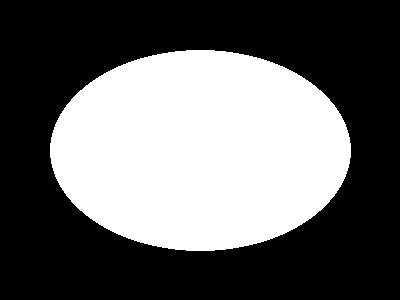
imagefilledellipse($image, 200, 150, 300, 200, $col_ellipse);

// 画像を出力します
header("Content-type: image/png");
imagepng($image);

?>
上の例の出力は、 たとえば以下のようになります。
注意
注意:
imagefilledellipse() は imagesetthickness() を無視します。
参考
- imageellipse() - 楕円を描画する
- imagefilledarc() - 楕円弧を描画し、塗りつぶす
+add a note
User Contributed Notes 9 notes
richard at mf2fm dot co dot uk 
19 years ago
Mark 
15 years ago
This draws an anti-aliased circle with an optional border. Call with <img src="circle.php?r=50&fg=ff0000&bg=000000&bw=5&bc=ffff00"/> to draw a filled circle with radius=50, foreground color=red, background color=black, border width=5, and border color=yellow. Assumes register_globals is on, but you can fix that easily.

<?php
header('Content-type: image/png');

is_numeric($r) or $r = 8;
is_numeric($bw) or $bw = 0;
strlen($fg)==6 or $fg = 'e8e8e8';
strlen($bg)==6 or $bg = 'ffffff';
strlen($bc)==6 or $bc = '000000';

function hex2rgb($im,$hex) {
    return imagecolorallocate($im,
        hexdec(substr($hex,0,2)),
        hexdec(substr($hex,2,2)),
        hexdec(substr($hex,4,2))
        );
}

$a = $r*2;
$b = $a*4;
$c = $b/2;
$d = $b;
$e = $d-($bw*8);

$im1 = imagecreatetruecolor($b,$b);
$im2 = imagecreatetruecolor($a,$a);
imagefill($im1,0,0,hex2rgb($im1,$bg));
if($bw) imagefilledellipse($im1,$c,$c,$d,$d,hex2rgb($im1,$bc));
imagefilledellipse($im1,$c,$c,$e,$e,hex2rgb($im1,$fg));
imagecopyresampled($im2,$im1,0,0,0,0,$a,$a,$b,$b);
imagepng($im2);
?>
sunbox at gmx dot net 
17 years ago
draws a gradient filled ellipse with alpha color support based on felixbruns at <ANTI-SPAM>web dot de imagegradientellipse function. thx felixbruns :o)

function imagegradientellipsealpha($image, $cx, $cy, $w, $h, $ic, $oc){
       $w = abs($w);
       $h = abs($h);
       $oc = array(0xFF & ($oc >> 0x10), 0xFF & ($oc >> 0x8), 0xFF & $oc);
       $ic = array(0xFF & ($ic >> 0x10), 0xFF & ($ic >> 0x8), 0xFF & $ic);
       $c0 = ($oc[0] - $ic[0]) / $w;
       $c1 = ($oc[1] - $ic[1]) / $w;
       $c2 = ($oc[2] - $ic[2]) / $w;
       $ot = $oc >> 24;
       $it = $ic >> 24;
       $ct = ($ot - $it) / $w;
       $i = 0;
       $j = 0;
       $is = ($w<$h)?($w/$h):1;
       $js = ($h<$w)?($h/$w):1;
       while(1){
           $r = $oc[0] - floor($i * $c0);
           $g = $oc[1] - floor($i * $c1);
           $b = $oc[2] - floor($i * $c2);
           $t = $ot - floor($i * $ct);
           $c = imagecolorallocatealpha($image, $r, $g, $b, $t);
           imageellipse($image, $cx, $cy, $w-$i, $h-$j, $c);
           if($i < $w){
               $i += $is;
           }
           if($j < $h){
               $j += $js;
           }
           if($i >= $w && $j >= $h){
               break;
           }
       }
    }
felixbruns at <ANTI-SPAM>web dot de 
17 years ago
I quickly made a gradient ellipse function (i took some code from other gradient functions). It works like imageellipse or imagefilledellipse but with two color parameters: $ic is the inner color of the gradient ellipse and $oc is the outer color.

<?php

function imagegradientellipse($image, $cx, $cy, $w, $h, $ic, $oc){
    $w = abs($w);
    $h = abs($h);
    $oc = array(0xFF & ($oc >> 0x10), 0xFF & ($oc >> 0x8), 0xFF & $oc);
    $ic = array(0xFF & ($ic >> 0x10), 0xFF & ($ic >> 0x8), 0xFF & $ic);
    $c0 = ($oc[0] - $ic[0]) / $w;
    $c1 = ($oc[1] - $ic[1]) / $w;
    $c2 = ($oc[2] - $ic[2]) / $w;
    $i = 0;
    $j = 0;
    $is = ($w<$h)?($w/$h):1;
    $js = ($h<$w)?($h/$w):1;
    while(1){
        $r = $oc[0] - floor($i * $c0);
        $g = $oc[1] - floor($i * $c1);
        $b = $oc[2] - floor($i * $c2);
        $c = imagecolorallocate($image, $r, $g, $b);
        imagefilledellipse($image, $cx, $cy, $w-$i, $h-$j, $c);
        if($i < $w){
            $i += $is;
        }
        if($j < $h){
            $j += $js;
        }
        if($i >= $w && $j >= $h){
            break;
        }
    }
}

?>
ivank at 2xtreme dot net 
22 years ago
Sometimes, you have x1, y1, x2, y2 parameters, but not the center, width, and height. Use this to draw a filled ellipse from your x1, y1, x2, and y2:

ImageFilledEllipse(
$im,
($x1 + round(($x2 - $x1) / 2)),
($y1 + round(($y2 - $y1) / 2)),
($x2 - $x1),
($y2 - $y1),
$color);
jbr at ya-right dot com 
18 years ago
This is a niffty function that you can use to make transparent ellipse/round type cutouts of any PNG or GIF image. The hard part is finding what color to use for the cutout layer and then the transparent layer, because you don't want to set the transparent index to a color being used in the image. After that it's as simple as layering the two images together.

what you need for the example...

a image of the size you want the cutout to be, gif or png (true color /256) can be used!

<?

$original_image = './image.png';
$output_image = './new.png';
$temp_image = './temp'; // path and name (don't include the extension)
$is_true_color = true;

$ext = substr ( $original_image, strrpos ( $original_image, '.' ) );
$temp_image .= $ext;
$new = image_get ( $ext, $original_image );
$width = imagesx ( $new );
$height = imagesy ( $new );

// we need to create temp reduced image so we can get the colors
// in a high bit true color image (png 16,24 bit only)

if ( $is_true_color )
{
    imagetruecolortopalette ( $new, false, 256 );
    image_make ( $new, $ext, $temp_image );
    imagedestroy ( $new );
    $colors = get_rgb ( $temp_image, $ext );
    @unlink ( $temp_image );
    $new = image_get ( $ext, $original_image );
}
else
{
    $colors = get_rgb ( $original_image, $ext );
}

// this creates the cutout layer (2 colors, both will become transparent)

$old = imagecreate ( $width, $height );
imageantialias( $old, true );
imagecolorallocate ( $old, $colors[0]['red'], $colors[0]['green'], $colors[0]['blue'] );
$bg = imagecolorallocate ( $old, $colors[1]['red'], $colors[1]['green'], $colors[1]['blue'] );
imagefilledellipse ( $old, floor ( $width / 2 ), floor ( $height / 2 ), $width, $height, $bg );
imagecolortransparent ( $old, $bg );
imagecopy ( $new, $old, 0, 0, 0, 0, $width, $height );
image_make ( $new, $ext, $output_image );
imagedestroy ( $old );
imagedestroy ( $new );

// this layers both images together, making a nice ellipse/round transparent image cutout

$old = imagecreate ( $width, $height );
$new = image_get ( $ext, $output_image );
$tbg = imagecolorallocate ( $old, $colors[0]['red'], $colors[0]['green'], $colors[0]['blue'] );
imagecopy ( $old, $new, 0, 0, 0, 0, $width, $height );
imagecolortransparent ( $old, $tbg );
image_make ( $old, $ext, $output_image );
imagedestroy ( $old );
imagedestroy ( $new );

/*
* shortcut functions (1,2)
*/

// returns the called image resource

function image_get ( $ext, $name )
{
    switch ( $ext )
    {
        case '.gif' :
        return ( imagecreatefromgif ( $name ) );
        break;
        case '.png' :
        return ( imagecreatefrompng ( $name ) );
        break;
    }
}

// outputs the image named passed to it

function image_make ( $io, $ext, $name )
{
    switch ( $ext )
    {
        case '.gif' :
        imagegif ( $io, $name );
        break;
        case '.png' :
        imagepng ( $io, $name );
        break;
    }
}

// get (2) colors not found in the current image

function get_rgb ( $image, $ext )
{
    $x = 0;
    $colors = array ();
    $img = image_get ( $ext, $image );

    for ( $color = 10; $color <= 250; $color++ )
    {
        if ( imagecolorexact ( $img, $color, $color, $color ) == -1 )
        {
            $colors[] = array ( 'red' => $color, 'green' => $color, 'blue' => $color );

            if ( $x == 1 )
            {
                imagedestroy ( $img );
                return ( $colors );
            }

            $x++;
        }
    }

    imagedestory ( $img );
    return ( $colors );
}

?>

You can try a demo here (SGML) capture a web page, then make multi cutouts example!

http://www.ya-right.com/
mark at freegeekchicago dot org 
18 years ago
Here is a simple script using imagefilledellipse to created rounded corners on the fly.  It takes color, bg_color, width, height, and placement (i.e. top left, bottom right) as arguments.

<?php
$color = $_REQUEST['color'];
$bg_color = $_REQUEST['bg_color'];

$c_width = $_REQUEST['width'];
$c_height = $_REQUEST['height'];

$placement = $_REQUEST['placement'];

$width = 2 * $c_width;
$height = 2 * $c_height;

// create a blank image
$image = imagecreatetruecolor($c_width, $c_height);

// fill the corner color
$col_ellipse = hex2int($image, $color);

// fill the background color

$bg = hex2int($image, $bg_color);

// fill the background color
imagefill($image, 0, 0, $bg);

// draw the ellipse
//takes (resource image, int cx, int cy, int w, int h, int color)

// bottom right corner
if ($placement == "br") {imagefilledellipse($image, 0, 0, $width, $height, $col_ellipse);}

// top right corner
if ($placement == "tl") {imagefilledellipse($image, $c_width, $c_height, $width, $height, $col_ellipse);}

// top left corner
if ($placement == "tr") {imagefilledellipse($image, 0, $c_height, $width, $height, $col_ellipse);}

// bottom left corner
if ($placement == "bl") {imagefilledellipse($image, $c_width, 0, $width, $height, $col_ellipse);}

// output the picture
header("Content-type: image/png");
imagepng($image);

function hex2int($image, $color) {
  $string = str_replace("#","",$color);
  $red = hexdec(substr($string,0,2));
  $green = hexdec(substr($string,2,2));
  $blue = hexdec(substr($string,4,2));

  $color_int = imagecolorallocate($image, $red, $green, $blue);
  return($color_int);
}
?>

You would call it like so:
<img src="round_test.php?
width=50&height=50&color=fffefe&bg_color=99e1e0&placement=tr">
dave at corecommunications dot us 
21 years ago
I needed to draw translucent circles on an existing image, using imagealphablending($image,true);. Turns out that imagefilledellipse seems to do the ellipse by drawing a series of lines from the centroid out to the circumference. Problem with this is that pixels near the center very visibly get drawn multiple times, producing a kind of moire effect. Also, the 0-degree (center to right) line is drawn twice and so is twice as dark the pixel below it.

My workaround was to draw the ellipse solid in a copy of the source image and do an imagecopymerge back into the original.
harry dot wood at ic dot ac dot uk 
22 years ago
This draws a rotated ellipse. If you don't want filled ellipses, then you don't need the triangle function.


function triangle($x1,$y1, $x2,$y2, $x3,$y3, $colour) {

   global $im;

   $coords = array($x1,$y1, $x2,$y2, $x3,$y3);

   imagefilledpolygon($im, $coords, 3, $colour);

}


function rotatedellipse($cx, $cy, $width, $height, $rotateangle, $colour, $filled=true) {

   global $im;

   $step=15;

   $cosangle=cos(deg2rad($rotateangle));

   $sinangle=sin(deg2rad($rotateangle));


   $squishratio = $height/$width;

   $nopreviouspoint = true;

   for ($angle=0; $angle<=(180+$step); $angle+=$step) {


      $ox = ($width * cos(deg2rad($angle)));

      $oy = ($width * sin(deg2rad($angle))) * $squishratio;


      $x = ($ox * $cosangle) - ($oy * $sinangle);

      $y = ($ox * $sinangle) + ($oy * $cosangle);


      if ($nopreviouspoint) {

        $px=$x;

        $py=$y;

        $nopreviouspoint=false;

      }


      if ($filled) {

         triangle($cx, $cy, $cx+$px, $cy+$py, $cx+$x, $cy+$y, $colour);

         triangle($cx, $cy, $cx-$px, $cy-$py, $cx-$x, $cy-$y, $colour);

      } else {

         imageline($im, $cx+$px, $cy+$py, $cx+$x, $cy+$y, $colour);

         imageline($im, $cx-$px, $cy-$py, $cx-$x, $cy-$y, $colour);

      }

      $px=$x;

      $py=$y;

   }

}